Motion handoff is finally machine-readable—but can an agent check it?
Figma Motion is in open beta. Figma warns that “features may change and you may experience performance issues” as it continues to improve the product (Figma Help: Explore Figma Motion).
A forum update posted Sep 30, 2026, at 5:00 PM UTC added custom animation styles, audio, text animations, and export to Lottie or dotLottie. Figma described the release as making Motion “more reusable, expressive, and portable” (Figma forum update). The announcement is also summarized by Inspire Studio.
That changes the handoff question. Motion can reach code and portable files; the harder question is which values an agent can verify, in which artifact, and at what cost. The answer is a computable contract: test the data first, render only where data cannot settle the question.
The artifact inventory: four places motion numbers now live
The timeline is the authoring surface. It supports autokeyframing, keyframes, easing, and playback modes, but it is visible only in Motion mode. Its controls include play or pause, auto-keyframe, current time, duration, time unit, playback, and layer collapse (Figma timeline Help). Figma’s product page describes baked-in animation styles such as Fade, Rotate, Scale, and Resize, and says keyframes can use bezier curves and springs (Figma Motion).
For development handoff, Dev Mode’s Motion tab offers a read-only timeline view alongside code. The code selector defaults to CSS and can switch to React or JSON. A separate MCP path supplies “Keyframes / Motion type / Timing values / Easing curves” to coding agents (Figma handoff Help).
Finally, the September release added Lottie and dotLottie export, alongside the MP4, GIF, SVG, and WebM formats listed on the product page. These surfaces are not interchangeable: code handoff, an MCP payload, and a runtime animation file serve different purposes. Their access requirements also differ, a complication worth treating as part of the contract rather than a footnote.
Three clocks, one animation: where the numbers actually live
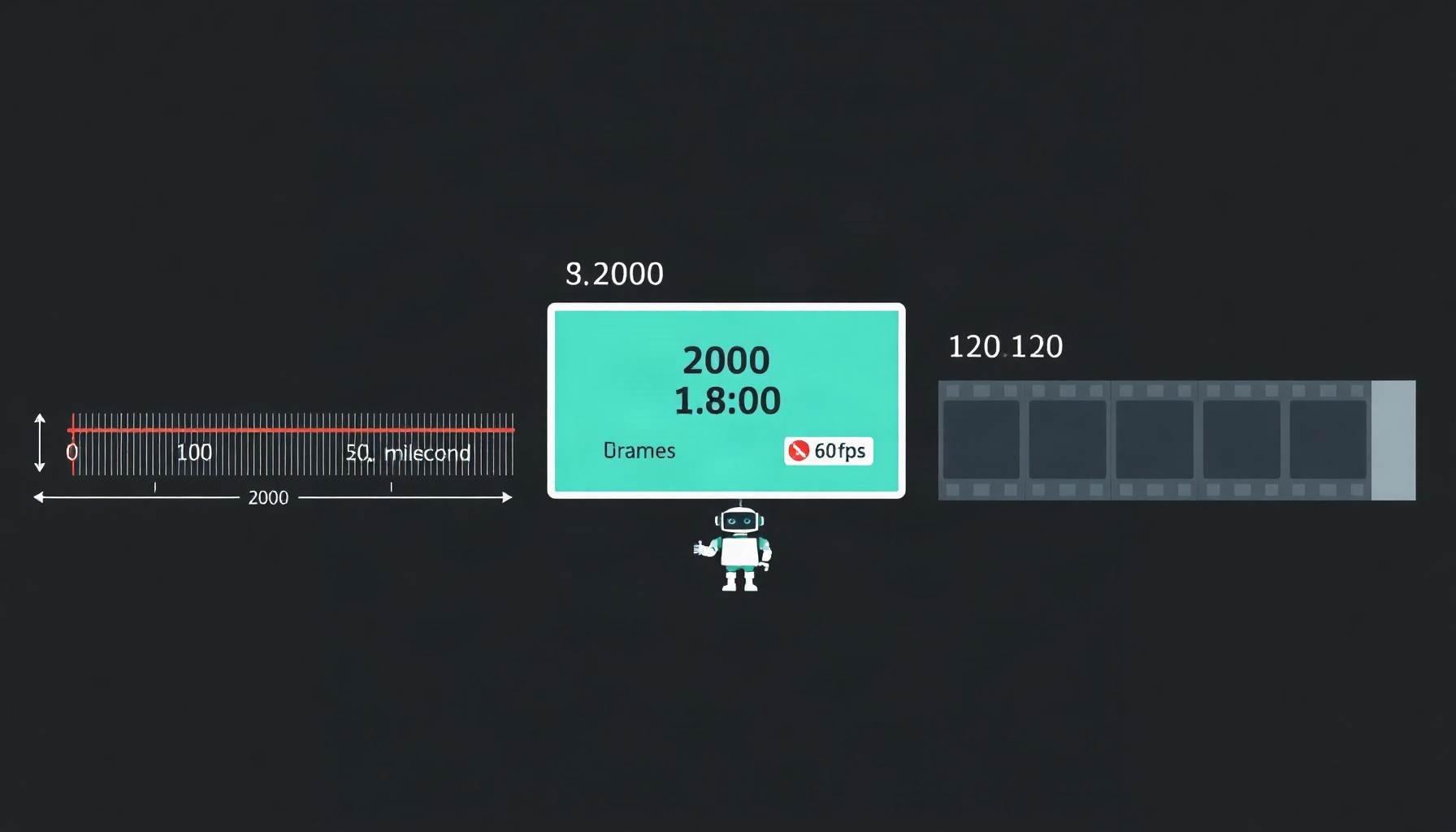
The timeline’s default duration is 2000 milliseconds. Its time-unit control toggles the display between seconds and milliseconds. Meanwhile, the public Plugin API uses seconds: node.timelines reports durations in seconds, and node.setTimelineDuration(id, durationSeconds) accepts seconds (Figma timeline Help; Figma Motion skill guide).
Lottie describes timing in frames. Its fr attribute is the frame rate, and ip and op mark the in and out points. When ip is zero, op gives the duration in frames. At 60 frames per second, 120 frames make 2 seconds. Changing the frame rate changes the duration represented by the same frame count (Lottie animation attributes; Lottie bouncy-ball breakdown).
The unit used by Dev Mode code and MCP “Timing values” is not documented in these sources. An agent should not guess. It should require an explicit unit, convert to a canonical unit—seconds are practical—and compare durations with a tolerance of one frame.
| Surface | Artifact the agent gets | Native time unit | Two seconds expressed as | Source status |
|---|---|---|---|---|
| Timeline UI | Keyframes and duration | Milliseconds by default; toggle to seconds | 2000 ms | Figma Help, undated |
| Plugin API | node.timelines; setTimelineDuration |
Seconds | setTimelineDuration(id, 2) |
Skill guide, undated |
| Lottie file | JSON animation | Frames | op − ip = 120 at fr: 60 |
Lottie docs; sample measured |
| Dev Mode code | CSS, React, or JSON | Not documented here | — | Figma Help, undated |
| MCP payload | Keyframes, motion type, timing, easing | Not documented here | — | Figma Help, undated |
A computable contract: six checks an agent can run today
The checks below operate on files or structured payloads. The first five need no render. A failed check should identify a specific inconsistency, not offer a vague warning.
R1 — Schema gate: Is this even a Lottie?
Input: A file claimed to be Lottie. Test: Require a top-level object containing v, fr, ip, op, w, h, and layers, with numeric values for frame and dimension fields and a layer collection. Pass: The required fields exist and have usable types. Fail: Any required field is missing or malformed; treat the file as structured motion data that needs mapping, not as a playable Lottie. A Dev-handoff JSON is not automatically Lottie JSON (Lottie animation attributes; LottieFiles on Figma Motion).
R2 — Duration round-trip.
Input: A declared design duration and the available timeline, code, MCP, or Lottie artifacts. Our rule: convert every duration to seconds — for Lottie, (op − ip) / fr — and where an artifact states no unit, treat its duration as unestablished instead of assuming one. Compare them within one frame, or 1/fr seconds for a Lottie file. Pass: Every artifact states a duration and the converted values agree within tolerance. Fail: A duration is missing, its unit cannot be established, or the values disagree. The timeline’s 2000 ms default and a Lottie value of 120/60 = 2.0 s illustrate the comparison; they do not establish the units of Dev Mode code or MCP timing.
R3 — Interpolation integrity.
Input: Lottie keyframes, or easing data in code or an MCP payload. Test: For Lottie, check that every keyframe except the last has both incoming (i) and outgoing (o) handle data. For API easing, reject the explicitly invalid alias EASE_IN_OUT; accept documented public forms such as EASE_OUT, EASE_IN_AND_OUT, EASE_IN_AND_OUT_BACK, HOLD, or a cubic-bezier or spring object. Pass: The structures are well-formed and no forbidden alias appears. Fail: A non-terminal Lottie keyframe lacks either handle, or EASE_IN_OUT appears. The available enum list is incomplete, so unknown-but-not-forbidden tokens should be flagged for human review, not automatically rejected (Figma Motion skill guide; Lottie bouncy-ball breakdown).
R4 — Beat alignment.
Input: Two properties the design declares synchronized, such as a squash and a bounce apex. Test: Compare the relevant keyframe times. Pass: Their peaks differ by no more than one frame. Fail: The difference exceeds one frame, or one property lacks a peak that can be identified from its data. This is a data check: the example below aligns both events at frame 60 without rendering.
R5 — Loop closure.
Input: An animation declared to use Loop playback. Test: For each animated property, compare its first and last values. Pass: Every property returns to its starting value. Fail: Any property ends at a different value. This checks closure, not playback behavior: the documented top-level Lottie attributes do not list a loop field, and the Lottie docs say the animation loops or stops “depending on how the player is set up.” A file-level check cannot distinguish Loop from Ping-pong, so configure and verify that behavior in the player (Figma timeline Help; Lottie bouncy-ball breakdown).
R6 — Lossy-export lint.
Input: The design description or available motion payload plus the intended Lottie export. Test: Scan for shaders, video, angular gradients, drop shadows, noise, glass effects, springs, audio sync, and complex masks. Pass: None of the documented lossy or poor-mapping candidates is present. Fail: Any is present; block automated sign-off and route the animation to visual QA. Shaders and video are unsupported in Lottie export; angular gradients and shaders are flattened to images, while drop shadows, noise, and glass effects can reflect only the first frame. Springs, audio sync, and complex masks may require a manual rebuild or a different tool (Inspire Studio’s export notes; LottieFiles on Figma Motion).
Worked example: what a short Python parse found in a real Lottie file
The measured file is the public Lottie-docs sample bouncy_ball.json, not a Figma Motion export. We parsed it with a short standard-library Python script (November 2026); the values below are exactly what the parse returned.
The file is 8,696 bytes. Its top-level keys, sorted, are fr, h, ip, layers, nm, op, v, w: eight keys, with no ver, markers, meta, or assets. Its name is “Bouncy Ball”; v is “5.5.2”; fr=60, ip=0, op=120, and w=h=512. The duration is (op − ip) / fr = 120 / 60 = 2.0 s exactly.
There is one layer, named “Layer,” with ty=4 and ind=0. The two animated properties are nested in the shape-group transform tr, not the layer transform ks. Position keyframes at t=0/60/120 move [235,106] → [265,441] → [235,106]. One detail is worth flagging: the Lottie docs’ own expanded walkthrough prints [235, 441] for that middle keyframe, while the file the page links to serves [265, 441] — a small reminder that the artifact, not the page explaining it, is the ground truth. Scale keyframes at t=55/60/65 reach a peak of [136,59]. The last keyframe of each property is a bare {t, s} object — no i, no o, no h — while the two earlier keyframes carry "h": 0, a flag whose meaning is not established here.
The scale change spans 10 frames, or 0.167 s at 60 fps, and peaks at frame 60—the same frame as the position apex. R4 therefore passes from the JSON alone. The position returns to its starting value, but that proves closure, not that a runtime player is configured to loop.
Seeing motion: the verification blind spot and the budgeted render loop
A screenshot cannot certify animation. The agent-facing skill guide says get_screenshot shows only the timeline’s resting state, never motion. Its documented visual route is export_video, which renders server-side and is “slow and expensive (~10s to minutes).” Render cost scales with pixels × frames. The export works only on a top-level frame whose children carry the animation; it returns a jobId with status processing, which the caller polls by invoking the export again with the file key and job ID (Figma Motion skill guide).
Make each render count. Choose the moments first—usually 4–6 frames. fps: 5 covers a handful of moments; 10 is an upper bound. Start with constraint: { type: 'WIDTH', value: 320 } and quality: "low"; raise the width to 768 or more when fine detail matters. Extracting selected frames from a rendered video with ffmpeg is free. The skill guide’s caution is the right standard: an export is “a diagnostic, not a sign-off.”
Rendering matters most where the data contract cannot establish appearance. Lottie export’s documented losses include flattened gradients and effects frozen at the first frame; a frame sample can expose a mismatch that keyframe arithmetic cannot. Keep the render budget for those questions, not for checks the file can already answer.
Which page did your agent read? Capability drift as a first-class bug
A capability claim needs a date. LottieFiles’ page says that, as of June 25, 2026, Lottie was still a future format for Figma Motion. Figma’s forum post announced Lottie and dotLottie export on Sep 30, 2026. The first claim is useful as a dated snapshot, not as the current answer (LottieFiles; Figma forum update).
Other disagreements are harder to order. The undated product page says “Custom styles coming soon,” while the dated forum post says custom animation styles shipped. Dev Mode handoff Help and the product page list CSS, React, and JSON; the Explore Help article instead names CSS, JSON, and motion.dev. The product page lists SVG, while the older beta-FAQ wording reproduced by LottieFiles says Animated SVG. These are differences across pages, not proof that one undated page is newer than another.
Plan access also has three formulations: the overview Help lists Starter, Professional, Education, Organization, and Enterprise plans with edit access; the timeline Help says any plan with can edit access; the handoff Help says all paid plans and requires a Full or Dev seat. Do not collapse those into a single answer.
| Capability question | Claim A | Claim B | What an agent should do |
|---|---|---|---|
| Lottie/dotLottie export | “Future format,” as of June 25, 2026 (LottieFiles) | Shipped Sep 30, 2026 (Figma forum update) | Prefer the dated primary update; re-query after releases. |
| Custom animation styles | “Custom styles coming soon,” undated (Figma Motion) | Shipped Sep 30, 2026 (Figma forum update) | Record the date and verify against the artifact. |
| Third Dev Mode output | React (Figma handoff Help) | motion.dev (Figma Explore Help) | Treat the listed outputs as page-specific until reconciled. |
| Export formats | MP4, GIF, SVG, or WebM (Figma Motion) | MP4, GIF, WEBM, and Animated SVG in LottieFiles’ dated FAQ summary | Check the actual export surface and file. |
| Plan availability | Five named plans plus edit access (Figma Explore Help) | Any plan with can edit for the timeline (Figma timeline Help); all paid plans with Full or Dev seat for handoff (Figma handoff Help) |
Keep the claims separate; check the current requirement for the specific surface. |
There is also a format trap: “motion data” is not synonymous with “Lottie.” The product page says code preserves values such as easing and timing, but LottieFiles cautions that Dev-handoff JSON is structured motion data, not a drop-in Lottie file. Map and validate rather than trusting labels.
What the artifacts cannot tell you yet
These sources do not establish the frame rate Figma writes into an export, whether Loop, Once, or Ping-pong persists in the file, or whether Dev Mode JSON is identical to the MCP payload. The meaning of the Lottie keyframe h flag is also not established. A sample lacking markers, meta, or other schema attributes cannot establish what Figma exports.
Nor do these sources establish whether text animation or TextStagger survives Lottie export, whether audio can be embedded in Lottie, or whether Lottie export requires a paid plan. Figma documents audio export alongside MP4 and WebM, not as a Lottie capability. The documented seat requirement applies to Dev Mode handoff/MCP; it does not settle export gating.
The loop finding is specifically format-schema-observed: the documented top-level Lottie attribute list has no loop field, and the Lottie docs say looping or stopping depends on player setup. That is not a vendor-confirmed statement about Figma’s export behavior. The open-beta warning matters throughout: feature behavior and support can change.
How This Guide Was Built
This guide is based on vendor documentation, a Figma forum release post, and third-party write-ups. Twelve saved sources were quote-audited against their captures. The author did not run Figma Motion hands-on.
The only in-session measurement was a public Lottie-docs sample, parsed with a short standard-library Python script in November 2026. The reported file values come from that parse; the sample is a Lottie-docs file, not a Figma export. The dated claims are limited to the dates identified in the source material; product and Help pages without dates are treated as undated rather than ordered by inference.
FAQ
Can I drop Figma Motion’s Lottie export straight into production?
Lottie export was announced on Sep 30, 2026, but an export button is not a production check. Run the schema, timing, interpolation, alignment, closure, and lossy-export checks first.
Will my exported Lottie loop automatically?
Do not assume so. The documented top-level attributes have no loop field, and the format documentation says looping or stopping depends on player setup. Configure the runtime player.
What frame rate does Figma write into the export?
That is not established by these sources. Read fr from the file and calculate duration as (op − ip) / fr; do not assume a particular rate.
Can an MCP coding agent actually see my animation?
Not through a screenshot alone: screenshots show resting state. A budgeted export_video render can provide motion frames, but it is server-side and slow. Reason over keyframes first, then render when appearance needs checking.
Dev Mode JSON, MCP payload, or Lottie file—which should I hand over?
They serve different jobs. Code and structured handoff data help recreate motion; Lottie is a runtime artifact. Mapping between them needs validation, not blind trust.
Do I need a paid plan for Lottie export?
That is not established here. Paid-plan and Full-or-Dev-seat wording applies to Dev Mode handoff/MCP; it does not settle Lottie-export access. Check current documentation for the export surface.
The Bottom Line
Figma Motion’s machine-readable artifacts make motion checkable, not automatically trustworthy. Six tests can validate structure, duration, interpolation, synchronized beats, loop closure, and known export losses without spending a render. But agents must respect three clocks—milliseconds, seconds, and frames—while keeping undated capability claims separate from dated release information.
The practical rule is simple: timestamp claims, normalize units, and treat every exported Lottie as data to validate. Design-system maintainers can wire R1–R6 into checks over exported files and payloads. Agents should reason over keyframes first and render second; when they do render, spend the budget on what the data cannot prove.