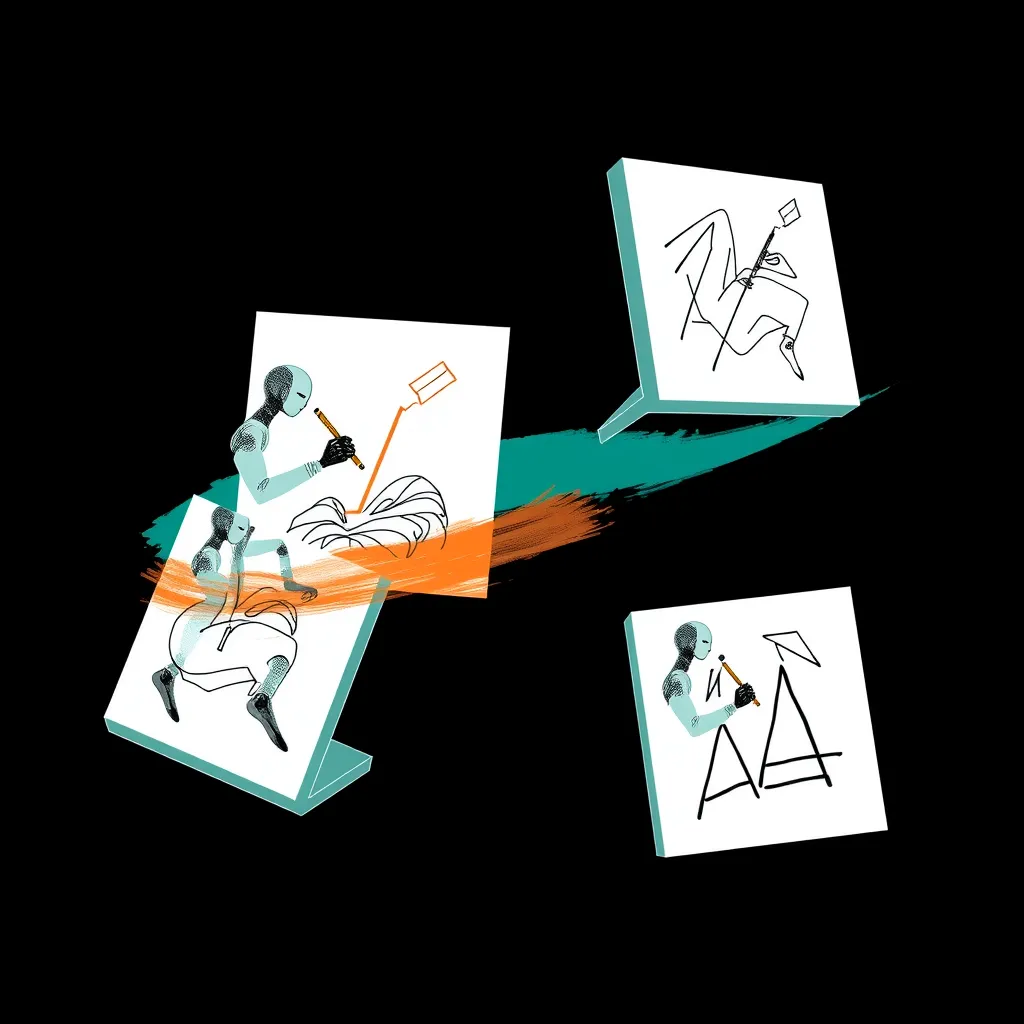
The question this week
When a design decision crosses into an agent’s hands, which gate or permission decides what the agent may write, and can an agent verify the result?
Every item this week circles that question. We track it through five sub-questions: (1) perception — what the agent can see; (2) computable criteria — whether any machine-checkable standard exists for “good”; (3) feedback loops — whether the agent senses the consequence of its writes; (4) tools and infrastructure — what connects the agent to the canvas; and (5) resolution — how work closes, and who can tell that it closed correctly. The pattern this week: the gates that decide what an agent may write are either administrative, sitting in an admin console, or unpublished, sitting inside a vendor’s system. The verifiable criteria we found are the ones teams write for themselves.
Figma’s OAuth app allowlist: the gate moves to the admin console
Figma’s release notes for Nov 17, 2026 include an entry titled “Manage an allowlist of approved OAuth apps, including MCP clients.” The notes state: “Admins can use an allowlist of approved OAuth apps, including MCP clients like Cursor and Claude Code, to manage which apps their teams can use. Admins will also be able to review app requests and manage approved apps within the new Extensions tab in the admin console.” Rollout is described as “Rolling out to Organization and Enterprise plans over the coming days.”
This is the week’s clearest answer to sub-questions 4 and 5: the gate is administrative. Whatever an agent may write through an MCP client now passes through a permission decision that lives in the admin console, not in the design file. The infrastructure question (who may connect) and the resolution question (who reviews the request) land on the same person: the admin.
Three things are not established by this source. Whether the allowlist blocks an unlisted client’s reads is not established. The default for teams that do not enable it is not established. Whether the allowlist is live for any given organization is not established — the notes say only “over the coming days.” Check the console rather than assuming either enforcement or absence. Figma’s help article is the reference to watch.
Figma multi-image generation: more perception, no stated criterion
On Nov 18, the release notes announced “Generate multiple images from a single prompt”: “Get to the right image faster by generating multiple options when using Make image or Edit image in Figma.” Two modes are described: “One model, multiple images: Have a single image model generate two, four, or six images from one prompt, so you spend less time re-prompting,” and “Multiple models, one image each: Run your prompt across up to three image models at once to see each model’s interpretation side by side, then keep the one you like best.”
The release describes the gain in terms of effort, not criteria: multiple options “so you spend less time re-prompting.” No computable criterion is stated (sub-question 2), and no feedback loop is described (sub-question 3). The selection instruction is “keep the one you like best” — a human preference, not a checkable rule. Any scoring or ranking criterion behind that phrase is not established by the release notes. An agent asked to pick among these outputs has no published function to optimize; it inherits the user’s taste or nothing at all. See Figma’s help article on generating and editing images.
AI Canvas: a done-gate with unpublished rules
AI Canvas, featured on Product Hunt on Nov 18, 2026, is tagged “A design system for AI agents to design badass interfaces.” Its vendor copy says: “The Andromeda Pro AI Brain tells it which tokens and patterns to use, and its done-gate fails work that drifts off the system.” The same copy lists “standalone React components and effects, 820 React icons in four styles, and one MCP server that lets Claude, ChatGPT, Codex, VS Code and more search and install it all as editable source,” and invites you to “Start free with MIT components and Line icons.”
This is the most direct claim this week on sub-questions 2 and 5: a gate that fails work drifting off the system. But what the done-gate checks, and whether its rules are published, are not established — the page does not state the gate’s rules. The claim is the vendor’s and is unverified. The MCP server is the infrastructure answer (sub-question 4): one server, several named clients. Snapshot stats at fetch: 82 upvotes, 8 comments, #30 on the daily leaderboard, per the Product Hunt snapshot on Hunted. Stats move; treat them as context.
Bezzle: a full studio, and an MCP server without documented surface
Bezzle, featured Nov 17, 2026, carries the tagline “A whole design studio, free, on your Mac and PC.” Its vendor copy: “It runs on your Mac or PC, opens your Figma, Sketch, Adobe XD and Photoshop files, and does the whole job: components, prototypes, hand-off, dark mode in one click, live co-editing, animation, vectors, cutouts and photo edits.” It adds: “No subscription, no account, and nobody counting your seats.”
For sub-questions 1 and 4, the relevant fact is an absence: the maker’s comment claims a built-in MCP server without documenting what it exposes. Whether an agent can read Bezzle’s output is not established by these sources. More broadly, whether any Nov 16–19 launch exposes an MCP or API surface beyond its own marketing page is not established for the week’s launches generally. A full studio is not automatically an agent-readable studio; until a machine interface is documented, the perception question for Bezzle stays open. Source: Bezzle on Hunted.
Background — Agentic Canvas (Nov 15, 2026): every frame is real HTML and CSS
Just before the window, on Nov 15, 2026, AgentGrid.io’s Agentic Canvas was featured on Product Hunt. Its page makes a verifiability claim (sub-question 5): “Every frame is actual HTML and CSS. Every visual edit changes the real code. What you design is what ships.” If the output is literally the shipped code, verification stops being a trust problem and becomes an inspection problem — anyone, including an agent, can read the result.
Its agent surface is explicit: “Connect Claude, ChatGPT, Grok Bot, Muse AI, Instinct, Hermes, Cursor, Codex, or any MCP-compatible agent.” The project’s own site is canvas.agentgrid.io, and the Hunted listing records the launch. Upvote snapshots differ: Hunted shows 124 upvotes and 13 comments, while LaunchPact’s November tracker shows 127 upvotes, 16 comments, and #6 on Nov 15 — call it about 125 upvotes. The round-trip claim itself is the vendor’s; whether every visual edit truly lands in shippable code is unverified here.
Community signal — W3C DTCG issue #429 (background: Nov 9–12, 2026)
The W3C Design Tokens Community Group activity log shows, on Nov 9, 2026, issue #429: “Motion beyond transition: gauging interest in choreography-level token types (spring, keyframe sequences, named patterns),” with one comment. This is a GitHub issue gauging interest — not an adopted spec change. Anyone hoping for a computable motion criterion (sub-question 2) should read it as a question opened, not an answer shipped. Other background activity in the log: #441 (a possible documentation error for the shadow inset type, Nov 9), #458 (syncing the Resolver 2025.10 table of contents with published sections, Nov 12), and #457 (including the resolver version in bundling examples, Nov 12).
Spec context, dated Nov 2, 2026: DTCG Format 2025.10 is a Community Group report and, per UIX’s write-up, “not a W3C Standard.” The spring gap — that the spring has no DTCG type — was covered in the Nov 16 digest and is noted here as background only, not re-argued as news.
Layer One: token descriptions as agent instructions
Aniket Pandey’s Nov 17 piece on Layer One, “Design Tokens for AI Agents: DTCG, Descriptions and Naming,” treats the token description as the agent’s actual interface. His shape for a good description: “Use for X. Don’t use for Y; use Z instead.” On exposure (sub-question 1): “Agents should only ever see and use semantic tokens. Primitives are for the system team.” On resolution and feedback (sub-question 3): “$deprecated | true, or a string explaining what to use instead | Stops agents copying retired tokens; the string gives them the replacement.” And the closing instruction: “Agents pick tokens by matching your words to their task. Give them words worth matching.”
This is the week’s strongest practitioner answer to sub-questions 1–3: if you want agents to write within a system, publish criteria they can match against — in descriptions, in deprecation strings, in naming. It is a practitioner guide, not a measurement: its claims about how agents actually behave are not tested by these sources. The computable criteria exist only because a team writes them into its tokens.
Product Hunt context: the shape of attention this month
LaunchPact’s November 2026 design tracker reports: “LaunchPact tracked 36 featured Design launches; the median one got 85 upvotes,” and “58.3% of these launches finished under 100 upvotes.” The month is still running, so the list updates every day. Its top three — ⌘+L at 286 upvotes, Hera at 215, Clayzo at 199 — all predate this window and are context only, not news. The implication for our thesis: attention this month is dispersed. A featured launch with a claimed gate (AI Canvas, about 82 upvotes on Hunted; LaunchPact lists a different row of 74 upvotes and 7 comments) and a featured launch whose agent surface is a one-line maker claim (Bezzle, 74) both landed mid-pack — visibility does not track agent-readability.
Four checks an agent can run this week
Each check is runnable today against your own token files and admin console, with an explicit pass/fail condition.
Check 1 — Description-shape audit
Method: scan every semantic token’s $description against Layer One’s shape — “Use for X. Don’t use for Y; use Z instead.” Pass: every semantic description states a use, a misuse, and a redirect. Fail: any description that is a bare label or omits the “don’t use” clause. Agents match words to tasks, so vague descriptions are a perception failure. Source: Layer One’s guide.
Check 2 — Deprecation audit
Method: find every token with $deprecated: true. Pass: each carries a replacement string naming what to use instead. Fail: any deprecated token without a replacement string — the agent has nowhere to redirect. Source: Layer One’s guide.
Check 3 — Exposure audit
Method: inspect exactly what your agent receives — the token bundle, the MCP resource, the context file. Pass: the payload contains semantic tokens only. Fail: any primitive leaking into what the agent can read, since “primitives are for the system team.” Source: Layer One’s guide.
Check 4 — Gate-presence audit
Method: open your Figma admin console and look for the Extensions tab and the OAuth app allowlist, including MCP clients. Pass: the tab exists and your approved list is set. Fail or inconclusive: the tab is absent — rollout has not reached your organization; whether the allowlist is live for any given org is not established, since Figma says only “over the coming days.” Source: Figma’s allowlist help article.
FAQ
Does the allowlist block unlisted MCP clients?
Not established. The release notes describe the allowlist and the Extensions tab but do not state whether an unlisted client’s reads are blocked, nor what the default is for teams that do not enable it.
What does AI Canvas’s done-gate check?
Not established. The vendor says the done-gate “fails work that drifts off the system,” but the page does not state the gate’s rules, and whether they are published is not established. The claim is unverified.
Can agents read Bezzle’s output?
Not established. The Bezzle page has the maker claiming a built-in MCP server; its surface is undocumented, so agent-readability is only partly established.
Is DTCG issue #429 a spec change?
No. It is a GitHub issue gauging interest in choreography-level token types (spring, keyframe sequences, named patterns). It is not an adopted spec change, and DTCG Format 2025.10 remains a Community Group report, “not a W3C Standard.”
Comparison table: read, gate, unverified
| Item | What the agent can read | What gate exists | What is unverified |
|---|---|---|---|
| Figma allowlist | The approved OAuth app list in the admin console’s Extensions tab (per release notes) | Administrative: admins allowlist OAuth apps, including MCP clients like Cursor and Claude Code | Whether unlisted clients’ reads are blocked; the default for teams that don’t enable it; whether it is live for any given org |
| Figma multi-image | Two, four, or six images from one model; up to three models’ interpretations side by side | None stated — selection is “keep the one you like best” | Any scoring or criterion used to choose among outputs |
| AI Canvas | Tokens and patterns chosen by the Andromeda Pro AI Brain; components and icons via one MCP server (Claude, ChatGPT, Codex, VS Code and more) | Vendor-claimed done-gate that “fails work that drifts off the system” | What the gate checks; whether its rules are published; the claim itself |
| Bezzle | Not established — the maker’s comment claims a built-in MCP server, though what it exposes is undocumented | None stated | Agent-readability of its output |
| Agentic Canvas (background) | The real HTML and CSS behind every frame, per the vendor’s claim | Vendor claim: “What you design is what ships” — inspection of real code as verification | Whether every visual edit truly round-trips into shippable code |
| W3C DTCG #429 (background) | The GitHub issue text itself | None — an issue gauging interest, not an adopted change | Whether choreography-level token types will ever be specified |
| Layer One guidance | Semantic tokens’ $description and $deprecated strings |
Team-authored: description shape and deprecation replacements | Whether agents behave as the guide predicts — untested in these sources |
How This Guide Was Built
design-agent.dev is a weekly digest on agent perception in design tooling: what agents can read, what gates their writes, and what they can verify. This digest covers Nov 16–19, 2026, with background items labelled by their real dates (Nov 15; Nov 9 and Nov 12; Nov 2). Our sourcing method: vendor release notes, product and pricing pages, specification trackers, and launch-data snapshots — each linked inline above. We separate what a source says from what a source establishes, and we mark vendor claims as vendor claims.
This review is based on official documentation, pricing pages, and community reports — we did not run the tool hands-on.
Limitations: Product Hunt statistics are snapshots taken at fetch time (Nov 19, 2026) and change daily; the LaunchPact list updates every day. Vendor claims — AI Canvas’s done-gate and Andromeda Pro AI Brain, Bezzle’s capability copy, Agentic Canvas’s code-round-trip claim — are attributed and unverified. Nothing here is an endorsement or a hands-on evaluation.
The Bottom Line
The verdict, from this week’s dossier facts only: when a design decision crosses into an agent’s hands, the gates that decide what the agent may write are either administrative or unpublished. Figma’s allowlist moves the permission decision to the admin console — a real gate, but one whose read-blocking behavior, default state, and live status are not established. AI Canvas claims a done-gate whose rules are not published. The only agent-verifiable criteria shown this week are the ones teams write themselves: Layer One’s description shape, its $deprecated replacement strings, and its semantic-only exposure rule. Figma’s multi-image mode widens perception without stating a criterion. Agentic Canvas offers the one verifiability path that does not depend on a vendor’s word — output you can inspect as real HTML and CSS — though that claim, too, is the vendor’s. At the spec level, the criteria an agent might one day compute remain a gauging-interest GitHub issue, not a standard. The answer is uncomfortable but clear: the permission gate is increasingly administrative, the verification gate is mostly absent, and the computable criteria that exist are homegrown.